
Channel system
Capgo and capacitor-updater comes with a powerful channel system.
What you can do with channels:
- Associate devices to channel for development, beta test
- Use one channel by dev branch and let your team self-assign from the phone to test
Assigning devices to a channel:
- Make the channel default, each time a new device asks CodePushGo for an update this channel will answer
- Send the deviceId (with getDeviceId method) to your backend and assign it with CodePushGo public API
- Make the channel self-assignable (with setChannel method), and let the device subscribe to the channel (with user interaction or not) with method
setChannelof the plugin. - Use the option
defaultChannelin the config to set the default channel for all devices with this plugin configuration. The name is case sentive
Channel options
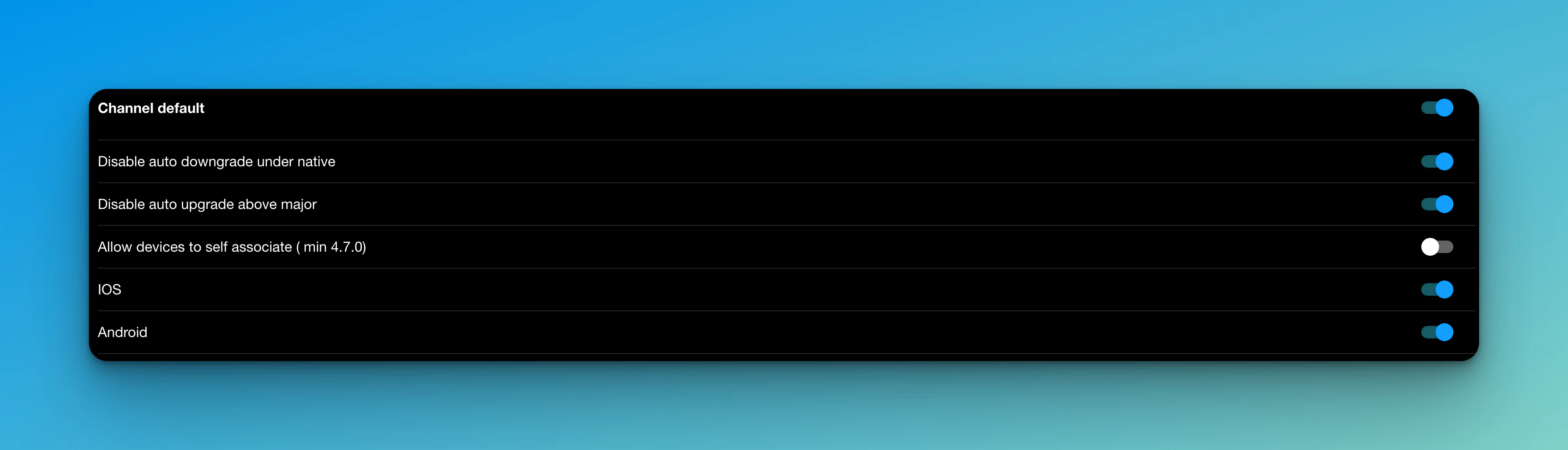
Details of each option:
| Option | Description |
|---|---|
| Disable auto downgrade under native | Don’t send an update if the app’s native version is bigger than the channel one |
| Disable auto upgrade above major | Don’t send an update if the app native version is lower then a Major (1.2.3) from the channel one |
| Disable auto upgrade above minor | Don’t send an update if the app native version is lower then a minor (1.2.3) from the channel one |
| Allow the device to self-assign | Let a device use the setChannel method to this channel |
| IOS | Allow IOS devices to download updates from this channel |
| Android | Allow Android devices to download updates from this channel |
| Allow Emulator | Allow emulators to receive updates from this channel |
| Allow development build | Allow development build to receive update from this channel |